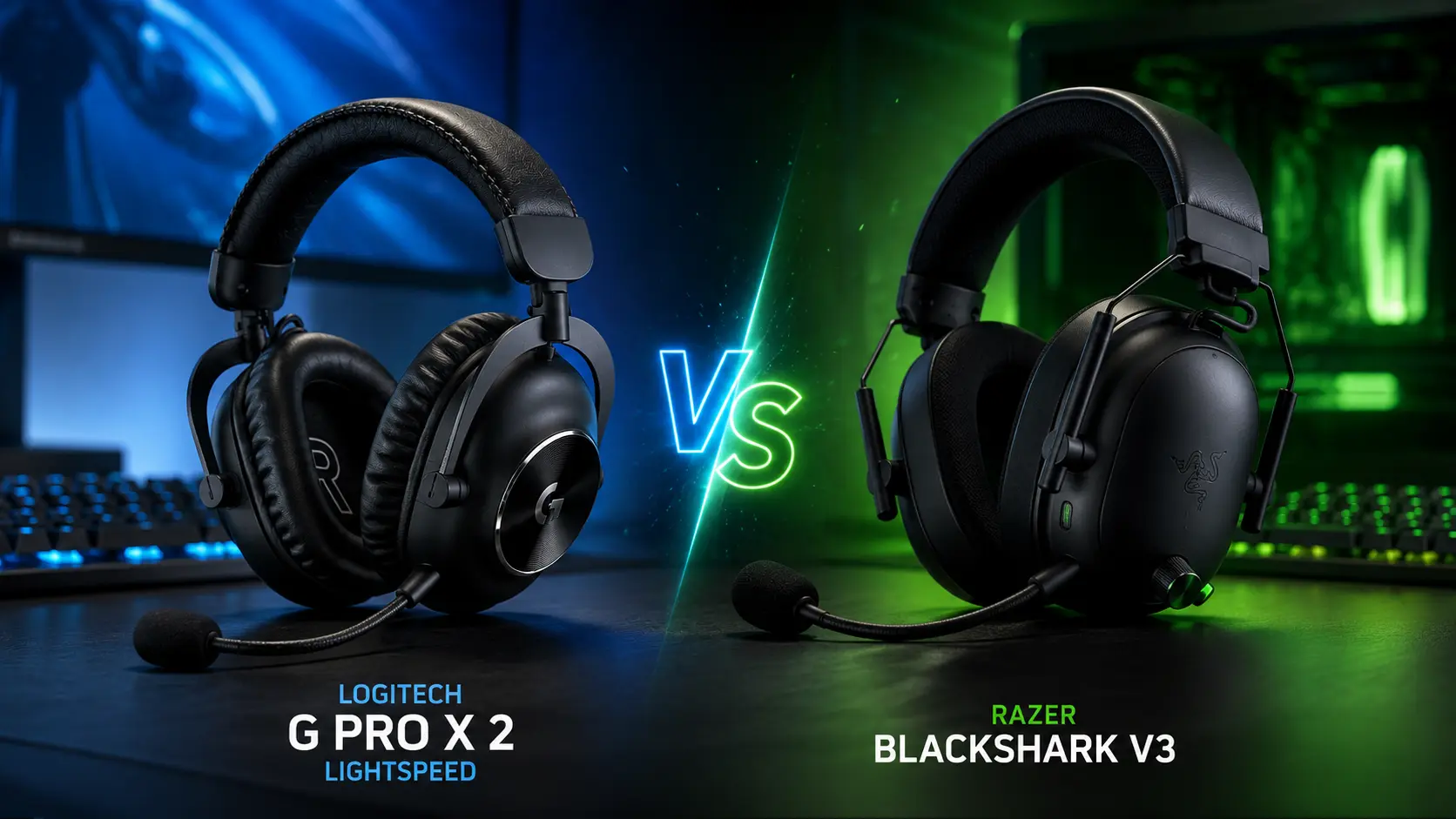
If you’ve been trying to decide between the Logitech G Pro X 2 Lightspeed and the Razer BlackShark V3 for a while now, you’re not alone. These two sit at the top of the wireless gaming headset category for a reason but they’re built around very different philosophies, and picking the wrong one for your setup is a real mistake you’ll feel every time you sit down to play.
I’ve spent weeks with both. The G Pro X 2 has been on my head through long late-night sessions, a lot of ranked matches, and even some work calls where it held up surprisingly well. The BlackShark V3 got thrown into competitive FPS sessions, some music listening, and more than a few hours of podcast-on-the-couch use. Neither is perfect. But one of them probably suits your exact situation better than the other and that’s what I’m here to work out.
Quick summary: the Logitech is the more balanced, versatile pick with extraordinary battery life and a refined, lived-in comfort. The Razer BlackShark V3 is sharper, faster in terms of wireless latency, and more purpose-built for competitive play though it costs more for the Pro version and weighs noticeably heavier. Let’s break it all down.
Quick Specs Comparison Table
| Feature | Logitech G Pro X 2 Lightspeed | Razer BlackShark V3 |
|---|---|---|
| Driver Size | 50mm Graphene | 50mm TriForce Titanium Gen-2 |
| Wireless Tech | LIGHTSPEED 2.4GHz | HyperSpeed Gen-2 2.4GHz |
| Bluetooth | Yes | Yes (5.3) |
| Min. Wireless Latency | Not specified | ~10ms |
| Battery Life | Up to 50 hrs (real-world 80+ hrs tested) | Up to 70 hrs |
| Microphone | 6mm detachable cardioid, Blue VO!CE | 9.9mm detachable, HyperClear Super Wideband |
| Surround Sound | DTS Headphone:X 2.0 (7.1) | THX Spatial Audio |
| ANC | No | Yes (Pro version) |
| Weight | ~345g | ~367g |
| Earcup Padding | Memory foam leatherette or velour | Dual-Layer Flowknit Memory Foam |
| Connectivity | 2.4GHz, Bluetooth, 3.5mm | 2.4GHz, Bluetooth, USB, 3.5mm |
| Platform Support | PC, PS4, PS5, Nintendo Switch | PC, PS5, Nintendo Switch, Mac |
| Companion App | Logitech G HUB | Razer Synapse 4 |
| Price (approx.) | ~$199 | ~$150–$250 depending on variant |
Is the Logitech G Pro X 2 Lightspeed Good?
Yes for most people, it’s genuinely one of the best wireless gaming headsets you can buy right now. That said, “best” depends a lot on what you need from it.
What I Like
- The battery life is absurd. Logitech advertises 50 hours. I charged it once when I unboxed it, used it heavily for nearly two weeks, and it still had juice. Real-world testing by SoundGuys clocked it at over 88 hours at moderate volume. That’s not a typo.
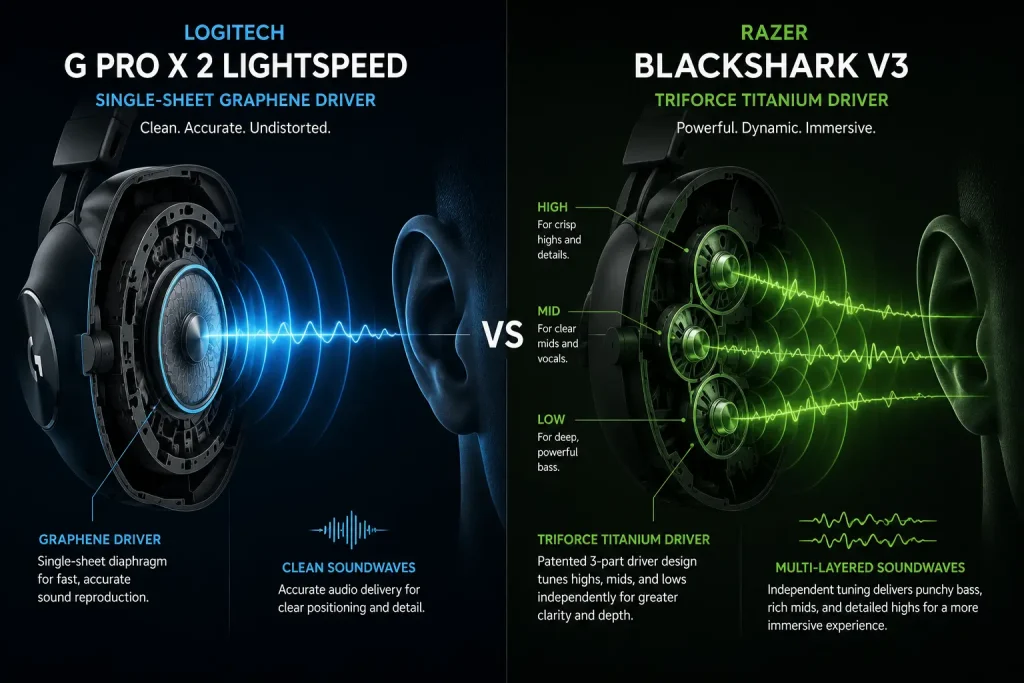
- Graphene drivers sound remarkably clean. Footsteps, environmental audio, dialogue in cutscenes there’s a clarity to the presentation that doesn’t feel hyped-up or artificially boosted. It sounds honest.
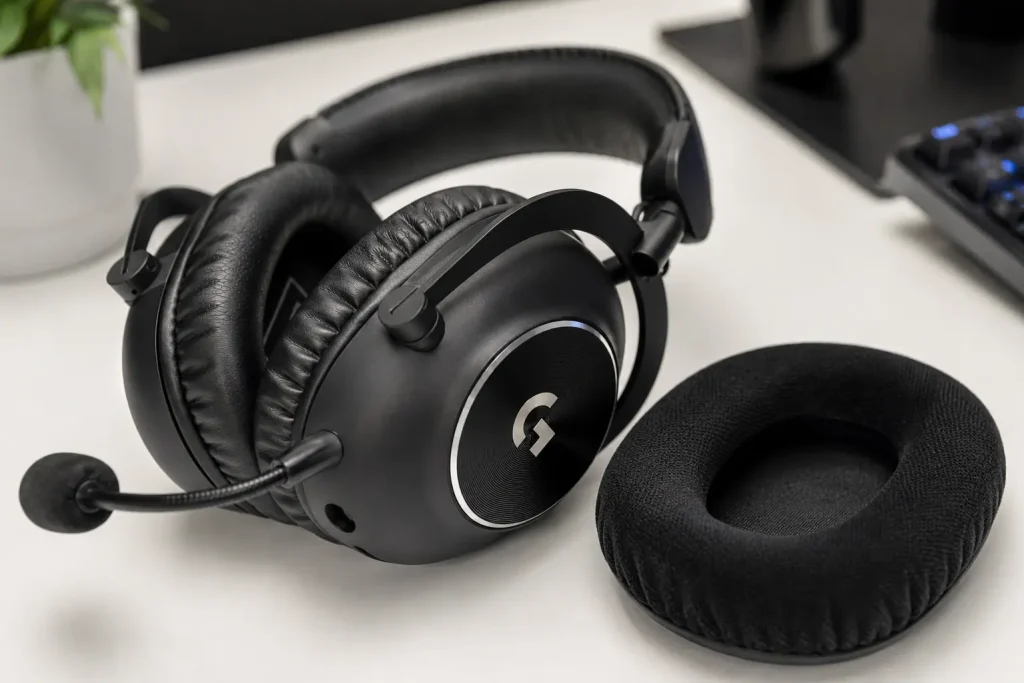
- Multiple ear pad options out of the box. You get leatherette and velour/cloth pads in the box. I prefer the cloth for anything longer than two hours. It’s a small thing, but it matters.
- The LIGHTSPEED wireless connection is rock solid. I’ve used it with walls between me and my PC and never had a dropout. The 30-meter range claim feels believable.
- Build quality feels premium. The aluminum forks, adjustable steel headband, the way the earcups swivel flat it reads as a headset that’ll last.
- Blue VO!CE processing is legitimately useful. It cleans up your mic audio in ways that are immediately noticeable to teammates. Not studio quality, but well above what most gaming headsets offer.
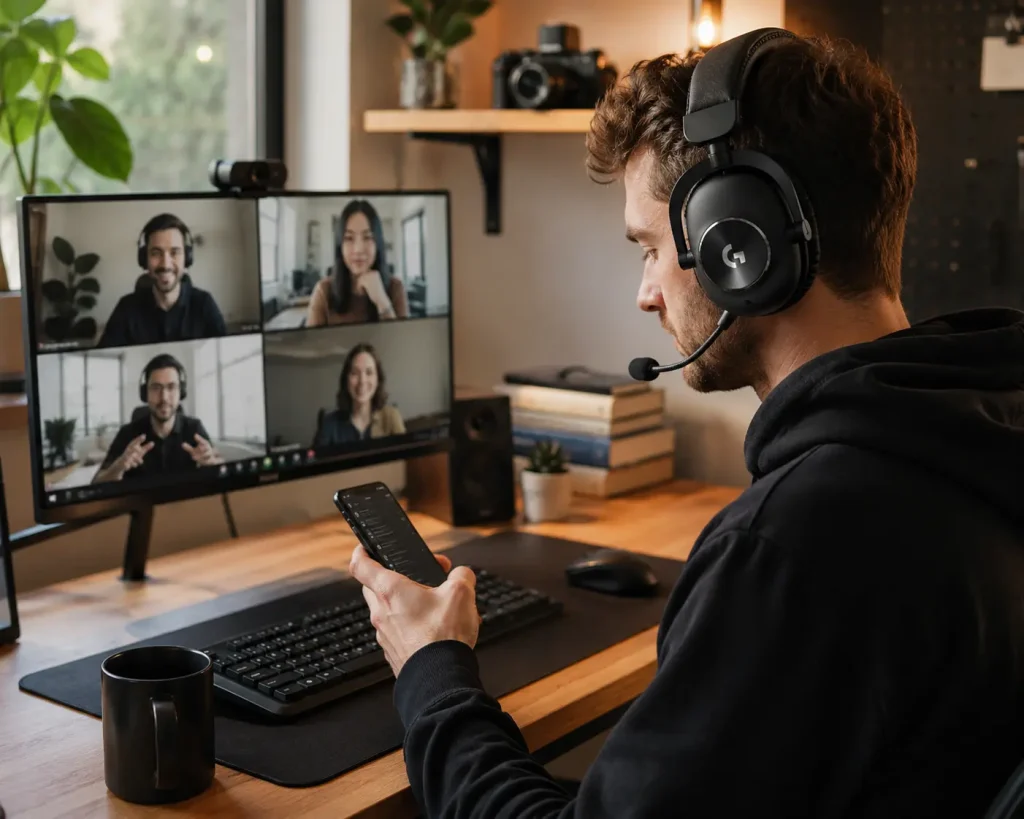
- Versatile connectivity. LIGHTSPEED, Bluetooth, and 3.5mm all in one headset. I used the Bluetooth to catch a phone call mid-session without touching a cable.
What Could Be Better
- No active noise cancellation. At this price point, not having ANC is a real gap. If you’re gaming in a noisy environment, you’re relying entirely on passive isolation from the earcups which is decent but not exceptional.
- G HUB can be annoying. It’s functional but occasionally bloated. EQ presets feel limited without some manual tweaking.
- The headset doesn’t fold flat for travel. The earcups swivel, which helps, but it’s not particularly travel-friendly without the included storage bag.
- Clamping force is noticeable. Out of the box it grips a little firmly. Not painful, but wearers with larger heads might feel it over long sessions.
- No simultaneous Bluetooth + 2.4GHz. You have to manually switch between the two. Not a dealbreaker, but the Razer handles this more elegantly.
Pros & Cons
| Pros | Cons |
|---|---|
| Extraordinary real-world battery life | No ANC |
| Graphene drivers with low distortion | No simultaneous dual wireless |
| Blue VO!CE microphone processing | G HUB has quirks |
| Multiple ear pad options included | Moderate clamping force |
| Excellent LIGHTSPEED wireless range | Limited travel-friendliness |
| 3-way connectivity (2.4GHz / BT / 3.5mm) |
Personal Recommendation
For PC gamers, streamers, or anyone who values battery longevity, versatile connectivity, and all-day comfort without fuss, the G Pro X 2 Lightspeed is the pick. It’s particularly strong for people who switch between PC gaming and casual Bluetooth use (calls, music, etc.).
Final Rating: 9/10


Is the Razer BlackShark V3 Good?
The Razer BlackShark V3 is a genuine upgrade over the already-well-regarded V2 Pro. It’s built with a very specific audience in mind: competitive gamers who play titles where positional audio and reaction speed matter. And for that audience, it genuinely delivers.
What I Like
- 10ms wireless latency is class-leading. HyperSpeed Gen-2 is fast. Really fast. In fast-paced shooters, there’s a sharpness to audio cues that feels more immediate than the competition.
- TriForce Titanium Gen-2 drivers have great clarity. The multi-layered driver design does a real job of separating highs from lows footsteps sound distinct from gunfire, which is the whole point in FPS gaming.
- 70-hour battery life. Even heavier than the Logitech’s rated spec, though note the G Pro X 2 reportedly exceeds its rating by a wider margin in practice.
- Simultaneous 2.4GHz + Bluetooth is genuinely useful. Mix in a Discord call from your phone while gaming. No switching, no interruptions.
- 9.9mm HyperClear mic sounds excellent. Probably the better of the two mics out of the box. Rich, clear voice pickup with minimal background noise leakage.
- Flowknit earcups feel premium. The dual-layer fabric and foam combination feels softer against the skin than straight leatherette. Hot summer days are still a factor, but it manages better than expected.
- Synapse 4 is more polished than G HUB. Not perfect, but the per-game EQ profiles and audio customization feel more intuitive.
What Could Be Better
- At 367g, it’s noticeably heavier than the G Pro X 2. After three or four hours, I felt it more than I’d like. Not a dealbreaker, but worth knowing.
- The earcups don’t swivel flat. It’s not designed to fold for travel. Fine for a desk setup, awkward for anything else.
- Treble can get harsh at higher volumes. Some reviews, including from SoundGuys, noted treble distortion during intensive gaming particularly with certain audio profiles.
- The price is high. Especially for the V3 Pro variant. You’re paying for the ANC and simultaneous connectivity features, but it’s a significant jump.
- ANC is more “adequate” than impressive. It helps with background hum and fan noise, but don’t expect Sony WH-1000XM-level ANC. It’s a gaming headset first.
Pros & Cons
| Pros | Cons |
|---|---|
| Industry-leading 10ms wireless latency | Heavier at 367g |
| Excellent HyperClear 9.9mm microphone | Earcups don’t swivel flat |
| Simultaneous 2.4GHz + Bluetooth | Treble can be harsh at high volumes |
| 70-hour battery life | ANC is functional, not exceptional |
| Flowknit dual-layer earcups | Premium price, especially V3 Pro |
| THX Spatial Audio for positional cues |
Personal Recommendation
The BlackShark V3 is the right call for dedicated FPS gamers who play titles where audio precision knowing exactly where a flanking enemy is directly affects performance. Valorant players, CS2 grinders, Apex legends regulars. It’s tailored for that.
Final Rating: 8.5/10

Detailed Head-to-Head Comparison
Sound Quality
The G Pro X 2 has a cleaner, more neutral sound profile. Graphene drivers reduce distortion noticeably, and the result is audio that doesn’t exaggerate any particular frequency. If you listen to music or watch movies on your headset, this balance works really well across a wider range of content.
The BlackShark V3’s TriForce drivers are tuned with competitive gaming in mind there’s a slight emphasis on the highs and mids that makes footsteps and environmental cues pop. For FPS titles, this is intentional and effective. For music listening, it can occasionally feel a touch bright.
✅ My Take:
G Pro X 2 for versatility; BlackShark V3 for competitive FPS audio precision.
| Logitech G Pro X 2 | Razer BlackShark V3 | |
|---|---|---|
| Sound Quality | 9/10 | 8.5/10 |
Bass Performance
Neither of these is a bass-head headset, which is appropriate for the gaming focus. The G Pro X 2 has controlled, accurate bass present without bleeding into mids. The BlackShark V3 hits slightly harder at the low end depending on EQ settings, but it’s also the one more likely to muddy detail if you push it.
✅ My Take:
Roughly even, slight edge to G Pro X 2 for accuracy.
| Logitech G Pro X 2 | Razer BlackShark V3 | |
|---|---|---|
| Bass | 8.5/10 | 8/10 |

Comfort
The G Pro X 2 is lighter (approximately 345g vs 367g) and ships with two ear pad options. The swiveling aluminum forks mean the earcups follow the shape of your head rather than fighting it. Long sessions five, six hours are manageable without real fatigue.
The BlackShark V3’s Flowknit padding is soft and breathable, but the added weight starts to register after a few hours. It’s still comfortable relative to the category, but the G Pro X 2 has the edge for marathon sessions.
✅ My Take:
G Pro X 2 wins on extended comfort.
| Logitech G Pro X 2 | Razer BlackShark V3 | |
|---|---|---|
| Comfort | 9/10 | 8/10 |
Battery Life
Both are excellent here. The G Pro X 2 is rated at 50 hours but independently tested past 88 hours at moderate volume. The BlackShark V3 is rated at 70 hours. In practice, both will outlast most users’ weekly gaming schedule without needing a charge.
✅ My Take:
Both are outstanding. BlackShark V3 has a higher rated spec; G Pro X 2 significantly outperforms its rating in real-world use.
| Logitech G Pro X 2 | Razer BlackShark V3 | |
|---|---|---|
| Battery Life | 9.5/10 | 9/10 |
Wireless Performance & Latency
LIGHTSPEED is one of the most reliable 2.4GHz wireless implementations in gaming peripherals. It’s been proven across years of Logitech products and the G Pro X 2 upholds that reputation. The claimed 30-meter range holds up in practice.
The BlackShark V3’s HyperSpeed Gen-2 goes a step further with a published 10ms latency figure making it one of the fastest wireless gaming headsets available. For competitive play where audio timing genuinely matters, this is a real advantage. The simultaneous 2.4GHz + Bluetooth support is also a meaningful quality-of-life feature.
✅ My Take:
BlackShark V3 wins on raw wireless latency. G Pro X 2 wins on reliability track record and connection stability.
| Logitech G Pro X 2 | Razer BlackShark V3 | |
|---|---|---|
| Wireless Performance | 9/10 | 9.5/10 |

Microphone Quality
Both use detachable boom mics and both are good. The G Pro X 2’s 6mm cardioid mic with Blue VO!CE processing is clean and detailed teammates consistently report it sounds like a proper setup. The Razer’s 9.9mm HyperClear Super Wideband mic captures a wider frequency range, and the raw voice clarity is a step up. It sounds richer and more natural, particularly on voice chat.
If mic quality is a priority streaming, content creation, regular voice calls the Razer edges ahead. For in-game comms, either does the job well.
✅ My Take:
BlackShark V3 wins on raw mic quality; G Pro X 2 counters with Blue VO!CE software processing.
| Logitech G Pro X 2 | Razer BlackShark V3 | |
|---|---|---|
| Microphone | 8.5/10 | 9/10 |
Active Noise Cancellation / Passive Isolation
The G Pro X 2 has no ANC. Its passive isolation relies on the seal from the earcups, which is decent but limited in genuinely loud environments. If you’re gaming with a loud HVAC system, noisy roommates, or a mechanical keyboard next to your face, you’ll hear some bleed.
The BlackShark V3 Pro includes ANC, though its effectiveness is moderate by consumer headphone standards. It handles low-frequency drone and fan noise reasonably well. Don’t expect it to match what Sony or Bose achieves but for a gaming headset, it’s a meaningful addition.
✅ My Take:
BlackShark V3 Pro wins by default. Base V3 may lack ANC depending on variant check before buying.
| Logitech G Pro X 2 | Razer BlackShark V3 | |
|---|---|---|
| Noise Isolation | 7/10 | 8.5/10 |

App & Software Support
G HUB lets you customize EQ, switch between audio profiles, toggle surround sound, and manage Blue VO!CE settings. It works, but it can feel heavy and occasionally required a restart to apply settings correctly during my testing. Minor frustrations, but worth flagging.
Razer Synapse 4 is more refined. The game-specific EQ profiles (tuned for titles like Valorant and Apex Legends) are genuinely useful rather than gimmicky. THX Spatial Audio integration is straightforward.
✅ My Take:
Synapse 4 is the better software experience.
| Logitech G Pro X 2 | Razer BlackShark V3 | |
|---|---|---|
| App / Software | 8/10 | 8.5/10 |
Value for Money
The G Pro X 2 Lightspeed sits around $199. For that, you get graphene drivers, LIGHTSPEED wireless, three connection methods, Blue VO!CE processing, and two ear pad types. It’s a full package.
The BlackShark V3 varies more by variant the base model offers strong specs at a slightly lower price point, while the V3 Pro pushes to $250 with ANC and full feature parity. At the Pro tier, you’re paying a premium. Whether that’s worth it depends on how much you value ANC and simultaneous dual-wireless.
✅ My Take:
G Pro X 2 offers slightly better value for money when you factor in what’s included in the box.
| Logitech G Pro X 2 | Razer BlackShark V3 | |
|---|---|---|
| Value | 9/10 | 8/10 |
Full Comparison Summary Table
| Category | Logitech G Pro X 2 Lightspeed | Razer BlackShark V3 | Winner |
|---|---|---|---|
| Sound Quality | 9/10 | 8.5/10 | Logitech |
| Bass | 8.5/10 | 8/10 | Logitech |
| Comfort | 9/10 | 8/10 | Logitech |
| Battery Life | 9.5/10 | 9/10 | Logitech |
| Wireless Performance | 9/10 | 9.5/10 | Razer |
| Microphone | 8.5/10 | 9/10 | Razer |
| ANC / Isolation | 7/10 | 8.5/10 | Razer |
| App & Software | 8/10 | 8.5/10 | Razer |
| Value for Money | 9/10 | 8/10 | Logitech |
Overall Verdict
Buy the Logitech G Pro X 2 Lightspeed if:
- You game across multiple genres shooters, RPGs, strategy, casual play
- You value absurdly long battery life (seriously, you’ll charge it maybe once a month at casual use)
- You use Bluetooth for phone calls or music between gaming sessions
- You want included ear pad options without buying accessories separately
- All-day comfort during marathon sessions is a priority

Buy the Razer BlackShark V3 if:
- You play competitive FPS titles seriously and audio timing actually affects your performance
- Wireless latency is something you genuinely care about (10ms is hard to beat)
- You want ANC for louder gaming environments (V3 Pro)
- Simultaneous 2.4GHz + Bluetooth is a workflow you’d actually use
- Microphone quality for streaming or calls matters more than versatility
Personally, I’d reach for the Logitech G Pro X 2 Lightspeed for everyday use. It’s the more complete headset for more situations. But if I was specifically grinding ranked Valorant and wanted every possible audio edge, I’d take the BlackShark V3.
Full Technical Specifications Table
| Spec | Logitech G Pro X 2 Lightspeed | Razer BlackShark V3 |
|---|---|---|
| Type | Over-ear, closed-back | Over-ear, closed-back |
| Driver Size | 50mm Graphene | 50mm TriForce Titanium Gen-2 |
| Frequency Response | 20 Hz – 20,000 Hz | 12 Hz – 28,000 Hz |
| Impedance | 35 Ohm | 32 Ohm |
| Wireless | LIGHTSPEED 2.4GHz | HyperSpeed Gen-2 2.4GHz |
| Bluetooth | Yes | Yes (5.3) |
| Min. Wireless Latency | Not published | ~10ms |
| Wireless Range | Up to 30m (98 ft) | Not specified |
| Battery Life (rated) | 50 hours | 70 hours |
| Charging | USB-A to USB-C | USB-C |
| Microphone | 6mm cardioid, detachable | 9.9mm detachable, HyperClear |
| Mic Pickup Pattern | Unidirectional | Unidirectional |
| Surround Sound | DTS Headphone:X 2.0 (7.1) | THX Spatial Audio |
| ANC | No | Yes (V3 Pro) |
| Weight | ~345g | ~367g |
| Earcup Padding | Memory foam leatherette + velour (included) | Dual-Layer Flowknit Memory Foam |
| Frame | Aluminum forks, steel headband | Steel yokes, plastic earcups |
| Platform Support | PC, PS4, PS5, Nintendo Switch | PC, PS5, Nintendo Switch, Mac |
| Companion App | Logitech G HUB | Razer Synapse 4 |
| Connections | 2.4GHz, Bluetooth, 3.5mm | 2.4GHz, Bluetooth, USB-C, 3.5mm |
| Simultaneous BT + 2.4GHz | No | Yes |
FAQs
Q: Does the Logitech G Pro X 2 Lightspeed work with PS5? Yes. The G Pro X 2 Lightspeed is compatible with PS5 and PS4 via the USB LIGHTSPEED wireless dongle. It also works with Nintendo Switch when docked, and PC. Xbox is not officially supported.
Q: Does the Razer BlackShark V3 have active noise cancellation? It depends on the variant. The Razer BlackShark V3 Pro includes ANC. The standard BlackShark V3 may not. Always check the specific product listing before buying if ANC is important to you.
Q: Which has better mic quality the Logitech G Pro X 2 or the Razer BlackShark V3? The Razer’s 9.9mm HyperClear Super Wideband mic has a wider frequency capture range and tends to sound richer and more natural in direct comparison. The Logitech counters with Blue VO!CE software processing, which cleans up the signal effectively. For streaming or calls, the Razer has a slight raw hardware edge. For pure in-game communication, both are more than capable.
Q: Can I use both the Logitech G Pro X 2 and Razer BlackShark V3 with Bluetooth and 2.4GHz at the same time? The Razer BlackShark V3 supports simultaneous 2.4GHz wireless and Bluetooth connectivity, meaning you can mix audio from both sources at once. The Logitech G Pro X 2 does not you manually toggle between LIGHTSPEED and Bluetooth modes using a button on the headset.
Q: Which is better for competitive FPS gaming the G Pro X 2 Lightspeed or the BlackShark V3? For dedicated competitive play, the Razer BlackShark V3 has the edge. Its HyperSpeed Gen-2 wireless latency of approximately 10ms is class-leading, and the TriForce Titanium Gen-2 drivers are specifically tuned to help distinguish positional audio cues. If your primary concern is climbing ranked, the Razer is purpose-built for that.
Q: Is the Logitech G Pro X 2 Lightspeed worth the price? At around $199, it’s a competitive price for what you get: graphene drivers, exceptional real-world battery life, LIGHTSPEED wireless, Blue VO!CE processing, three connection options, and included leatherette and cloth ear pads. For PC gamers who want a versatile, daily-driver headset, it justifies the cost comfortably.